
Do Baby Monitors Record? Storage, Privacy, and How to Tell If Yours Is Hacked
Our monitor helped me keep track of my two youngest, Sawyer and Theo. If a camera is watching over your little one, it’s fair to ask where that video goes. Is it saved somewhere? Could anyone else see it? Here’s what baby monitors record, where it’s stored, and how to keep it private.
Do baby monitors record? The quick answer
Some do. Many WiFi (smart) monitors can save video clips or full recordings to a memory card in the camera or to the maker’s cloud, often with a subscription. Most basic non-WiFi monitors only show a live feed and don’t record. Anything connected to the internet can be hacked if it isn’t secured, so use a strong unique password, two-factor sign-in and the latest updates. (FTC)
| Basic non-WiFi monitor | WiFi / smart monitor | |
|---|---|---|
| Live feed | Yes | Yes |
| Records | Usually not | Often: clips, events or continuous |
| Where it’s saved | Nowhere, or a memory card on some models | Memory card, cloud, or both |
| Watch from away from home | No | Yes, via an app |
| Hacking risk | Lower (someone would need to be nearby) | Higher if not secured, because it’s online |
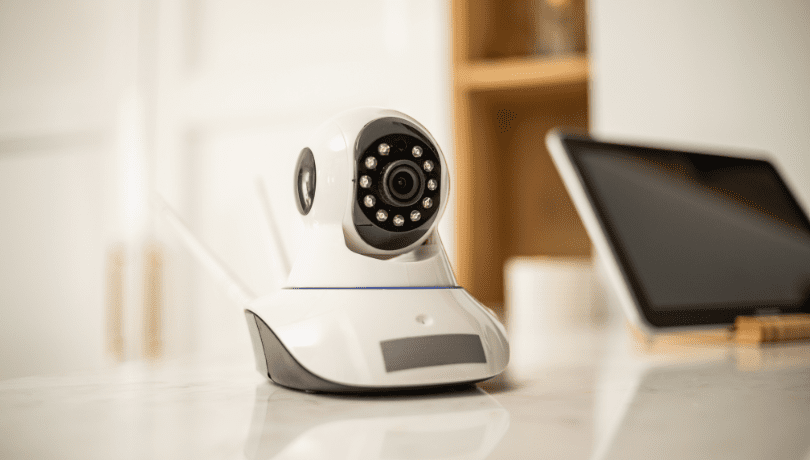
What baby monitors can record
- Video clips when the camera detects motion or sound.
- Continuous video, usually only with a cloud plan or a large memory card.
- Audio, on some models.
- Snapshots and timelapses of the night, on many smart monitors.
Check the product page or manual for “recording”, “playback”, “SD card” or “cloud storage”. If none of these are mentioned, it probably shows a live feed only.

Where recordings are stored
On a memory card in the camera (local storage). The footage stays in your home, unless the app also uploads it. You control it, but if the card fills up, older video gets recorded over.
In the cloud. The maker stores it on its servers, and you watch it in the app. It’s convenient, but your baby’s video now lives on someone else’s computer, so security and the company’s privacy policy matter.

How to keep your monitor’s footage private
These are the FTC’s steps for securing home cameras, and they apply to baby monitors too: (FTC)
- Change the default username and password, and use a strong password you don’t use anywhere else.
- Turn on two-factor authentication for the app or cloud account, if it’s offered.
- Install firmware and app updates as soon as they come out, or turn on automatic updates.
- Use encryption for live video and recordings, if your monitor offers it.
- Secure your WiFi: a strong router password, WPA2 or WPA3, and router updates.
- Limit who has access. Remove old phones and anyone who no longer needs to watch.
- Turn off remote viewing if you only ever watch from home.
Kelleigh’s Quick Tip: Before you buy, look up how long the maker promises security updates. A monitor that stops getting updates gets less safe every year. The FTC found most smart products don’t say. (FTC)
6 signs your baby monitor may be hacked

- Voices, music or noises coming from the camera that aren’t from your home.
- The camera moves on its own, if it can pan or tilt.
- Settings you didn’t change, like a new password, name or night-vision setting.
- A light on the camera comes on when no one in your family is watching.
- Unknown phones, users or logins in the app’s account or device list.
- You suddenly can’t log in, because the password has been changed.
One of these on its own can have an innocent cause, like a family member logging in or an automatic update. But if anything looks off, act on it.
What to do if you think it’s been hacked
- Unplug the camera or turn it off.
- Change the password for the monitor app or account, and your WiFi password, from a device you trust.
- Turn on two-factor authentication if you haven’t.
- Remove unknown devices and users from the account.
- Update the firmware, or reset the camera to factory settings and set it up again.
- Contact the maker’s support, and check whether there’s a known security problem with your model.

Can any baby monitor be hack-proof?
No. Non-WiFi monitors are harder to reach because they don’t connect to the internet, so someone would have to be nearby. A well-secured WiFi monitor, with a strong password, two-factor sign-in and updates, is much safer than one left on its default settings. More on that in WiFi vs non-WiFi baby monitors.
Recording other people: be upfront
If a babysitter, nanny or family member cares for your baby at home, tell them there’s a monitor, and whether it records sound and video. Laws on recording audio vary by state, so check yours if you’re unsure.
FAQs
Do baby monitors record video?
Some do. Many WiFi monitors can save clips or continuous video to a memory card or the cloud. Most basic non-WiFi monitors only show a live feed.
Do baby monitors record conversations?
Monitors with audio recording can capture voices in the room. Check your model’s manual or settings.
Can someone hack my baby monitor?
Any internet-connected camera can be hacked if it isn’t secured. A strong unique password, two-factor sign-in and updates make it much harder.
Which baby monitors can’t be hacked?
None are hack-proof. Non-WiFi monitors are harder to reach because they aren’t online.
How do I know if my baby monitor is hacked?
Watch for strange voices, the camera moving on its own, changed settings, the camera’s light coming on unexpectedly, unknown logins, or a password that no longer works.
My take
A recording monitor is handy, but your baby’s video deserves the same care as your bank account: a strong unique password, two-factor sign-in and updates. If you don’t need to watch from outside the house, a non-WiFi monitor keeps things simple.
Questions? Email me at kelleigh@imperfecthomemaking.com.
Happy parenting!
Related reading: