
Do You Need a Baby Monitor? Types, How They Work, and How to Choose One
When I was a new mom, I wasn’t sure I needed a baby monitor. Babies cry loudly, right? Then came more kids, more rooms and more noise. By the time Theo, our youngest, was sharing a room with Sawyer, our monitor was one of the things I used most.
Here’s how to decide whether you need one, how the different types work, what to look for, and whether you can use FSA or HSA money.
Do you need a baby monitor? The quick answer
You don’t strictly need one, but most families find it useful once their baby sleeps in a different room from them, for naps or at night. The AAP recommends your baby sleeps in your room, on their own sleep surface, for at least the first 6 months, so a monitor mainly helps with naps and the stage after that. A monitor helps you hear or see your baby. It doesn’t make sleep safer or prevent SIDS. (HealthyChildren.org, AAP; AAP 2022 safe sleep recommendations)
| A monitor helps if… | You may not need one if… |
|---|---|
| Your baby naps or sleeps in another room | You live in a small home and can hear every sound |
| The nursery is on a different floor | Your baby naps where you are |
| You have other kids making noise | You’ll room-share for a long time |
| You’re a deep sleeper | You’d rather not have another screen |
| You work from home |

When a baby monitor makes the biggest difference
- Naps in the nursery while you’re downstairs, outside or working.
- A big or noisy house. With older kids around, I couldn’t always hear the nursery. The monitor could.
- Room-sharing siblings. You can check on both without opening the door.
- Deep sleepers. Sound alerts or VOX mode wake you when your baby needs you. See what is VOX on a baby monitor.
- Working from home, with the parent unit or app on your desk.
The types of baby monitors
Audio monitors
You hear your baby, but you can’t see them. They’re simple, affordable and often have long battery life.

Video monitors (non-WiFi)
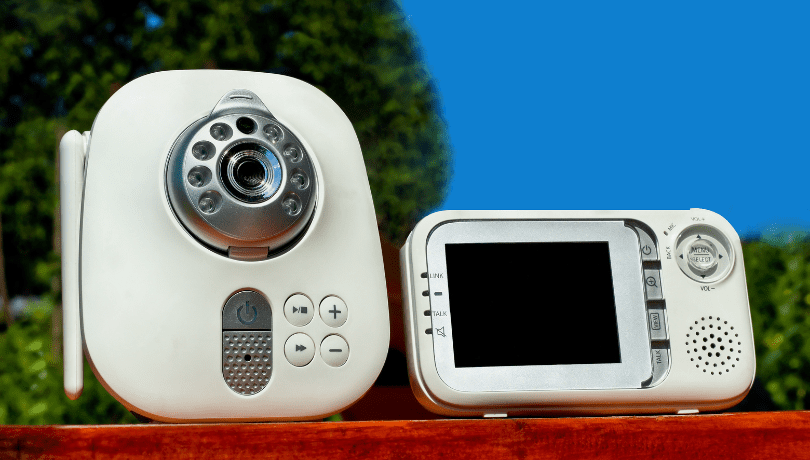
A camera in the nursery sends sound and video to a handheld parent unit over its own private radio link. No internet needed.
WiFi (smart) monitors
The camera streams through your WiFi to an app on your phone, so you can check in from anywhere. Many record, and some add alerts and room temperature.
Wearable and movement monitors
These track things like movement, breathing or oxygen, using a sock, band or under-mattress pad. The AAP advises against using home monitors as a way to reduce the risk of SIDS, and says they shouldn’t replace safe sleep practices. If your baby has a medical condition, your pediatrician will tell you whether a medical monitor is needed. (AAP 2022 safe sleep recommendations)
How do baby monitors work?
Every baby monitor has two parts:
- The baby unit (transmitter): a microphone, and a camera on video models, in the nursery.
- The parent unit (receiver): a handheld screen or speaker, or your phone, that plays what the baby unit picks up.
Non-WiFi monitors send the signal straight from one unit to the other by radio. Modern digital ones (often labeled FHSS or DECT) hop between channels to cut interference and make the signal harder to pick up. WiFi monitors send it through your router and the internet to an app. That’s why they work from anywhere, and why they need good security settings. More in WiFi vs non-WiFi baby monitors.
How to choose a baby monitor: 6 features to look for

- Clear sound and picture. Crackle and fuzz get old fast. Look for digital transmission and a clear screen.
- Night vision that shows the whole crib in the dark.
- Sound and motion alerts, or VOX. When Theo was a newborn, Terry and I wanted alerts so we wouldn’t miss him stirring.
- Two-way talk. Being able to talk through the monitor helped me calm Theo from another room when I was in the middle of chores.
- Range and reliability. Make sure it covers every room you use, and test it at home.
- Security and privacy. For WiFi models: a strong unique password, two-factor sign-in, encryption and regular updates. (FTC)
Nice extras: lullabies (one of my favorite features, because they soothed Theo), room temperature, multiple cameras, recording, and a mount for the wall.
Kelleigh’s Quick Tip: Write down your must-haves before you shop. For most families it’s clear video, night vision, alerts and good range. Everything else is a bonus, so don’t pay for features you’ll never use.
Is a baby monitor FSA or HSA eligible?
Usually not. FSA and HSA money can only be spent on medical care, meaning costs primarily to treat or prevent an illness or condition. Things that are merely good for general health don’t count. (IRS Publication 502; IRS Publication 969)
- A standard audio or video monitor is a convenience item, so it generally doesn’t qualify.
- A medical monitor your baby’s doctor says is needed for a diagnosed condition may qualify. Many plans ask for a Letter of Medical Necessity from the doctor.
- Some stores label monitors “FSA/HSA eligible”. Your plan makes the final decision, so check with your plan administrator before you buy, and keep the receipt and any doctor’s letter.
Whatever you choose, place it safely
Keep the baby unit and its cord at least 3 feet from the crib, bassinet or play yard, and never put it in or on the crib. Monitor cords have strangled babies. (CPSC) More in where to put a baby monitor.

FAQs
Is a baby monitor necessary?
Not strictly, but it helps once your baby naps or sleeps in another room, in a big or noisy house, or if you’re a deep sleeper.
Do I need a baby monitor if my baby sleeps in my room?
Not at night. The AAP recommends room-sharing for at least the first 6 months. Many parents still use one for naps.
How do baby monitors work?
A baby unit in the nursery picks up sound (and video) and sends it to a parent unit or your phone, by its own radio link or over WiFi.
What should I look for in a baby monitor?
Clear sound and picture, night vision, sound or motion alerts, two-way talk, good range, and strong security for WiFi models.
Are baby monitors FSA eligible?
Usually not. A medical monitor a doctor says is needed for a condition may qualify, often with a Letter of Medical Necessity. Check with your plan.
My take
I went from not being sure I needed a monitor to relying on one with a houseful of kids. If your baby will nap or sleep out of earshot, get one. Choose clear video, night vision and alerts, keep it 3 feet from the crib, and remember it’s there to help you hear, not to keep your baby safe on its own.
Questions? Email me at kelleigh@imperfecthomemaking.com.
Happy parenting!
Related reading: